
Rated 5 stars by a 10,000+ editor production teamTrusted by 10,000+ users
mouzeclick: price and features
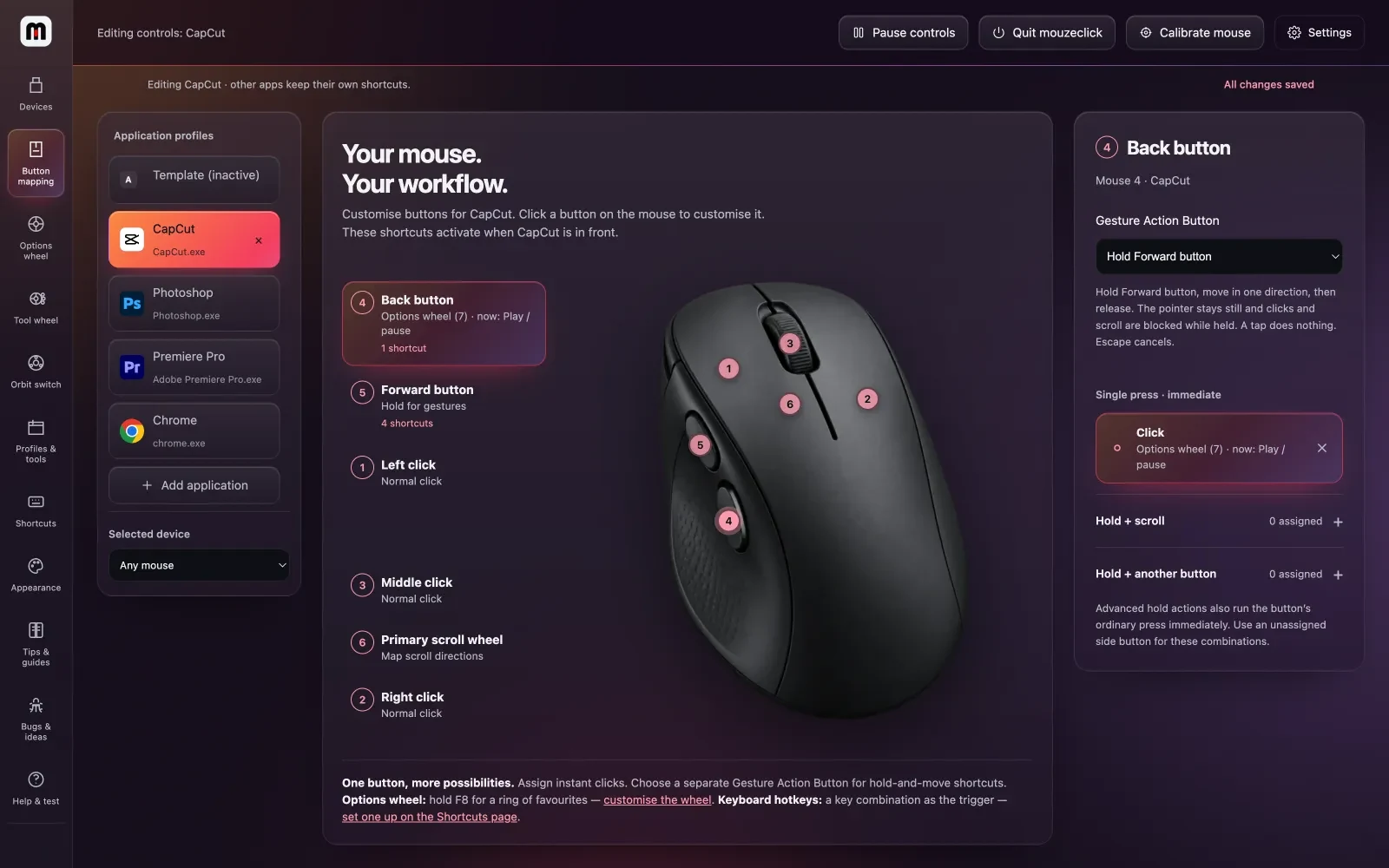
Your mouse, set up for the way you edit: three wheels (favourites, open apps, your editor's tools) and per-app buttons and gestures, on any mouse. Everything is included: mouzeclick Studio and the Premiere Pro extensions to cut silences and retakes, write captions in 289 looks and see each platform's safe zone, and every After Effects extension, mouzelayer's 3D globe too.
What it does
Options wheel
Hold any key or mouse button and 12 favourites open where you work, with rings of 16 and 20 around them.
Try the ringsOrbit switch
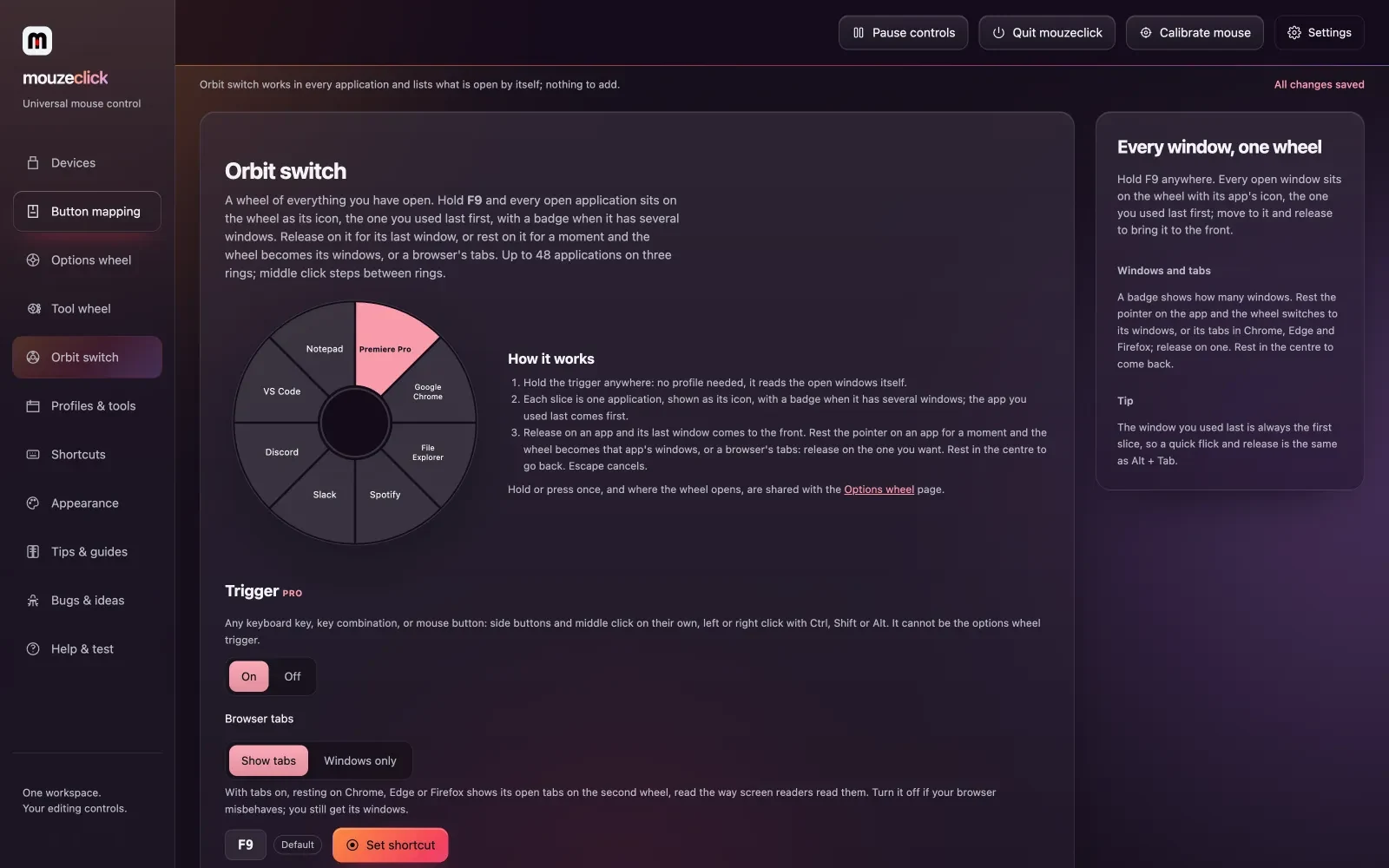
Every open app on a wheel, the last one first. Rest on one and the wheel becomes its windows or a browser's tabs.
See itTool wheel
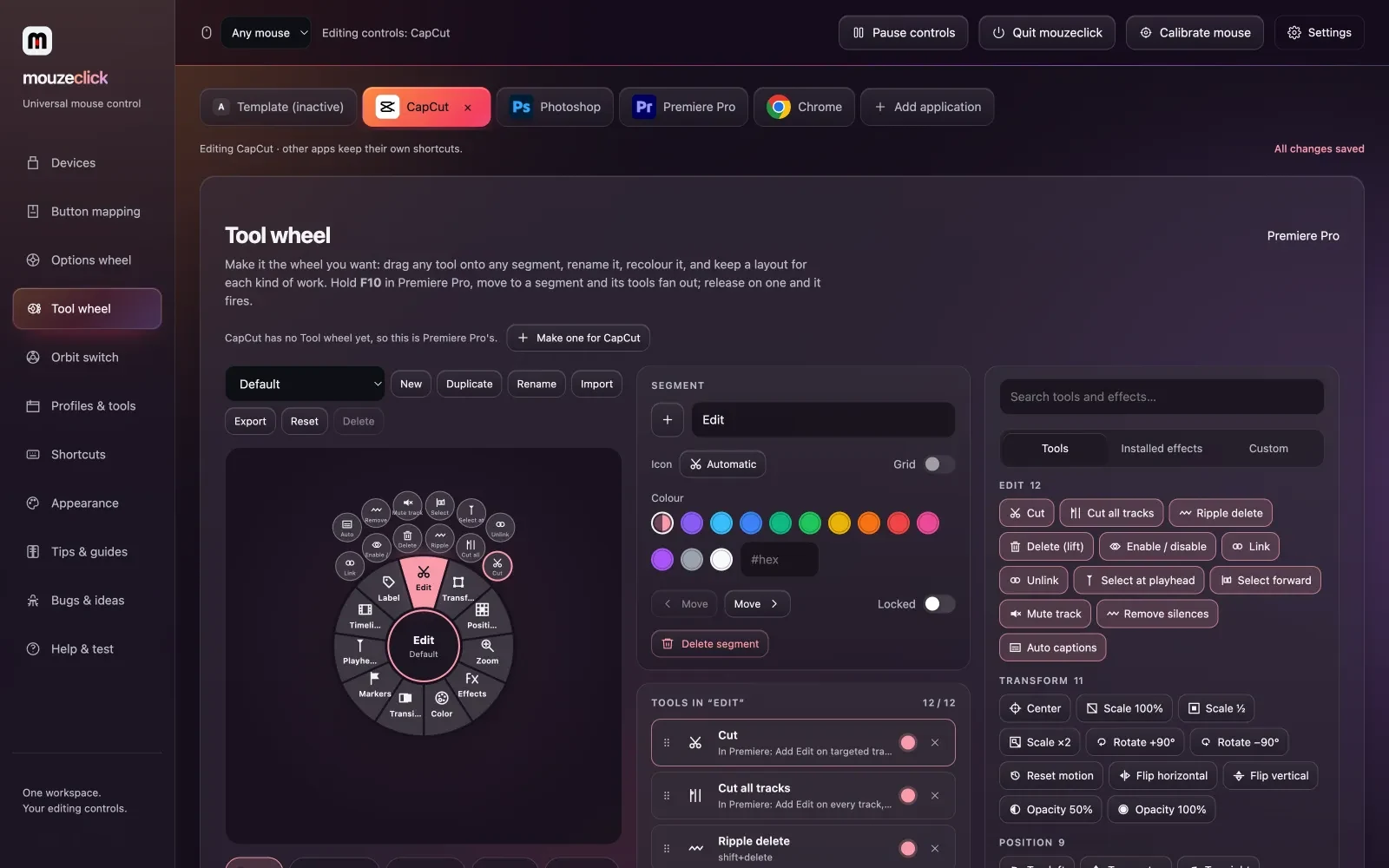
112 Premiere Pro tools in 12 segments, one flick each: cuts, labels, markers, your effects. 114 more for After Effects.
Premiere and After Effectsmouzeclick Studio
Cut silences and retakes, and write captions in 289 looks, Hinglish too, in a panel inside Premiere Pro.
Open the StudioToolbar and effect search
Every Premiere tool by name, favourites on keys 1–9, and every installed effect a search away: Enter applies it.
See the Toolbar22 extensions
mouzestate, mouzsplit and mouzegrade in Premiere Pro; mouzekit, mousecut and mouzelayer's 3D globe in After Effects.
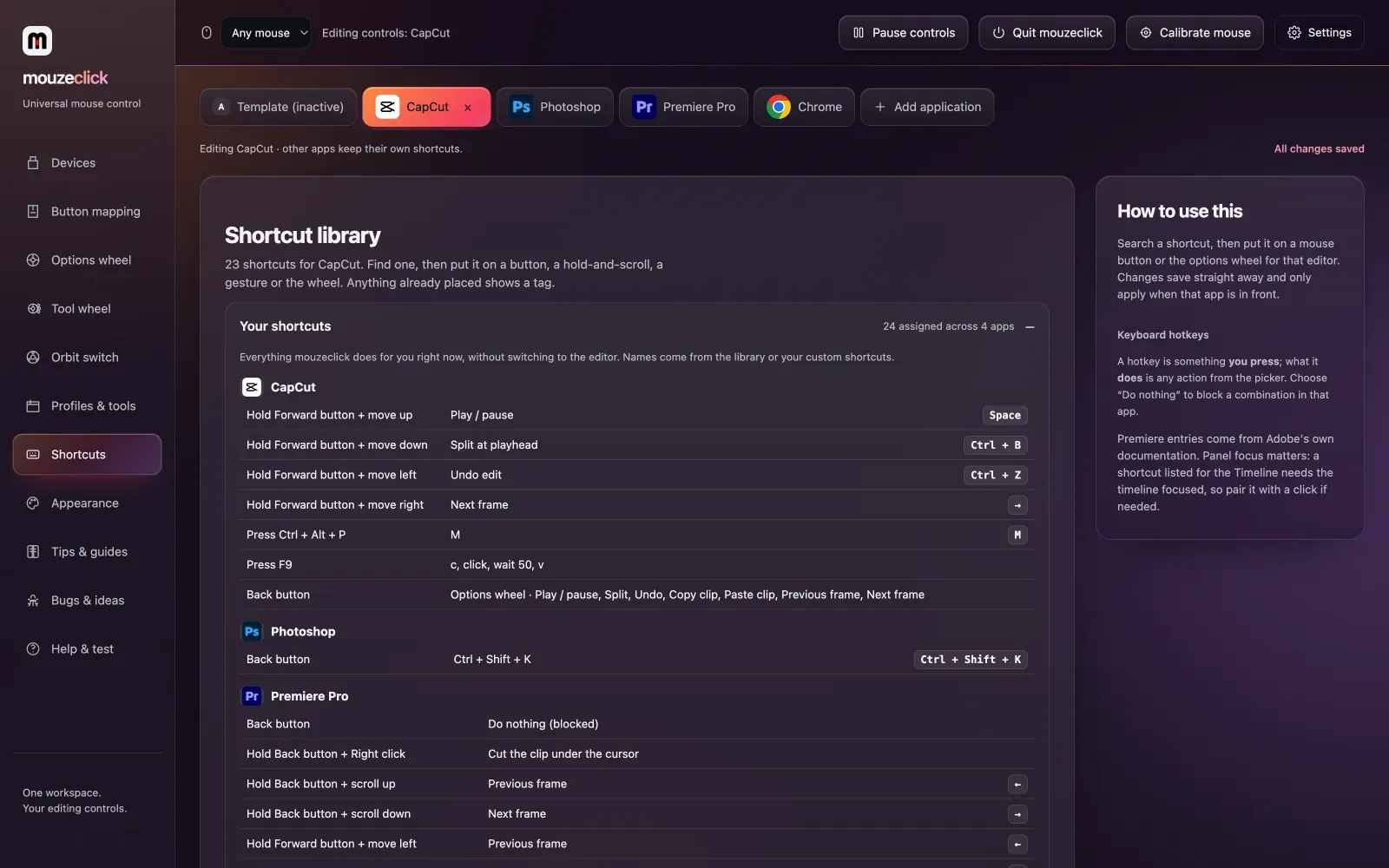
See every panelAlso included: per-app buttons, chords and gestures on any mouse; hotkeys and macros next to 309 built-in shortcuts; the Liquid glass look in nine colour sets; cloud sync of every profile, gesture and wheel to any Windows computer you sign in on; and share links for a setup.
Every extension.
One plan.
All 22 extensions come with mouzeclick: eight for Premiere Pro and fifteen for After Effects, with mouzegrade in both. The app, its three wheels and the Studio are in the same plan. Each key is for one person on one computer.
mouzeclick
Everything included
was $40, now $25/ month
Per key, one computer. Pay once for 30 days, or monthly and it renews by itself: same price. A code takes 10% off the first 30-day or 1-year payment.
Or pay once for longer
Premiere Pro8 extensions
- mouzestate Newstart and end looks with ease, spring or bounce
- mouzsplitsplit screens in seven layouts
- mouzegradeclick-to-grade colour in Premiere Pro
- mouzebin Neworganise bins, find unused, duplicate and offline media, relink, rename
- mouzemark NewYouTube chapters, marker import and export, markers into cuts
- mouzezoom Newdrag a box to zoom into a screen recording
- mouzetrans Newzoom, whip, spin, slide, blur, flash and glitch transitions
- mouzebeat Newfinds the beat, adds markers, cuts to it and ducks music under voice
After Effects15 extensions
- mouzekit New28 tools, one undo step each
- mouzerun Newyour own buttons for scripts, expressions and presets
- mousecutan editor’s timeline inside After Effects
- mouzegradeclick-to-grade colour in After Effects
- mouzmicgradients on text and shapes, 14 palettes
- mouzelayer Newa 3D globe, planes and ships on routes, pins as layers
- mouzevector Newpaste or open an SVG as shape layers that draw on
- mouzeresize Newone comp into 9:16, 1:1, 4:5 and more
- mouzeflow New15 transitions between layers
- mouzeexpr New24 ready expressions with settings, Edit, Remove and Bake
- mouzesaas Newapp screens, device frames, cursor, charts, loaders
- mouzetype New17 kinetic type styles as real text animators
- mouzecam Newcamera moves, handheld drift, parallax and rack focus
- mouzeicons New90 original UI icons as shape layers that draw on
- mouzeaccent Newbursts, sparkles, underlines, arrows, confetti, shine sweeps
One key, one computer. A 30-day pass, yearly or lifetime key is one key; need several? Choose Monthly and how many keys at checkout: 6 or more and every key is 10% off. Moving to a new one? Release it from your account
Priority support by email, for everyone: [email protected]
Billed in US dollars. To cancel a monthly subscription, email [email protected]
See it
Compatibility
| Windows | 10 and 11 |
| macOS | 12 or newer, Apple Silicon and Intel |
| Mouse | Any mouse your computer sees: wired, wireless or Bluetooth, up to five standard buttons plus scroll and tilt. No driver. |
| Editors | Premiere Pro, CapCut, DaVinci Resolve, After Effects, Photoshop, and every other app, each with its own profile |
| Same key | One key works on Windows or Mac, on one computer at a time |
Latest release
- 0.58.4025 Oct 2026 · StableThe mouzeclick workspaces for After Effects and Premiere Pro
Questions
Does the Studio send my audio anywhere?
No. Silence detection reads the sound on your computer, and captions run Whisper on your computer. The speech model downloads once (Fast 60 MB, Accurate 190 MB or Best 574 MB); after that your audio never leaves the machine.
How do the Studio and the Tool wheel get into Premiere?
Install the bridge once from the Tool wheel page and restart Premiere. Then Window › Extensions has mouzeclick, mouzeclick Studio, mouzeclick Toolbar and the extensions. After that mouzeclick keeps the bridge files up to date itself. After Effects works the same way.
Can it caption Hindi and Hinglish?
Yes. Hinglish comes out in Roman letters, the way people type it, with one spelling per word. Hindi in Devanagari is its own choice, any other language can be detected, and captions can be translated to English. Styled captions come with Hindi fonts such as Hind, Mukta and Noto Sans Devanagari, and styles like Desi pop and Devanagari bounce.
Does Premiere need the caption fonts?
No. Styled captions are drawn by mouzeclick into pictures in the font and look you pick (every font on your computer, plus mouzeclick's own caption fonts) and laid on a video track above everything, timed to the words. The pictures go into their own bin, and one button takes the last set off the timeline again. Premiere's own caption track, editable in Premiere, is still there.
Will the safe-frame guides end up in my export?
Only if you leave them showing. The guides are one clip with a Magenta label on a track of their own, and your footage is never moved or changed. Premiere has no layer that shows but does not export, so hide them (switched off, they are not exported) or remove them before you export; the Guides tab warns you while they show.
Which platforms do the guides cover?
65 presets: TikTok, Instagram Reels and Stories, YouTube Shorts, Facebook Reels and Stories, Snapchat, Pinterest, LinkedIn, X, Threads, WhatsApp Status, Telegram, Moj, Josh, Chingari, Roposo, ShareChat and more, plus feed formats, YouTube, Twitch, Vimeo, TV title and action safe and cinema frames. Save your own setups as presets, and export and import them.
Does it change DPI or polling rate?
No. Those live inside the mouse and need the maker's own software. mouzeclick changes what the buttons do, which works on any mouse your computer sees.
What does mouzeclick include?
Everything is included: was $40, now $25 a month. The app: buttons, chords, gestures, macros with a recorder, per-app profiles, cloud sync of your settings and the three wheels: the Options wheel with 12 + 16 + 20 favourites on three rings, the Orbit switch with up to 12 apps and a second wheel of windows or browser tabs, and the Tool wheel. Every Premiere Pro tool: the Studio, safe frame and guides, the Toolbar, effect search, mouzestate, mouzsplit, mouzegrade, mouzezoom, mouzetrans, mouzebeat, mouzebin and mouzemark. Every After Effects extension: mouzekit, mouzerun, mousecut, mouzegrade, mouzmic, mouzelayer, mouzesaas, mouzetype, mouzecam, mouzeicons, mouzeaccent, mouzevector, mouzeresize, mouzeflow, mouzeexpr and the After Effects Tool wheel. Also mouzetime. Priority support by email, for everyone. One key is for one person on one computer at a time; for more computers, choose Monthly at checkout and pick how many keys (6 or more and every key is 10% off).
Can I change how the app looks?
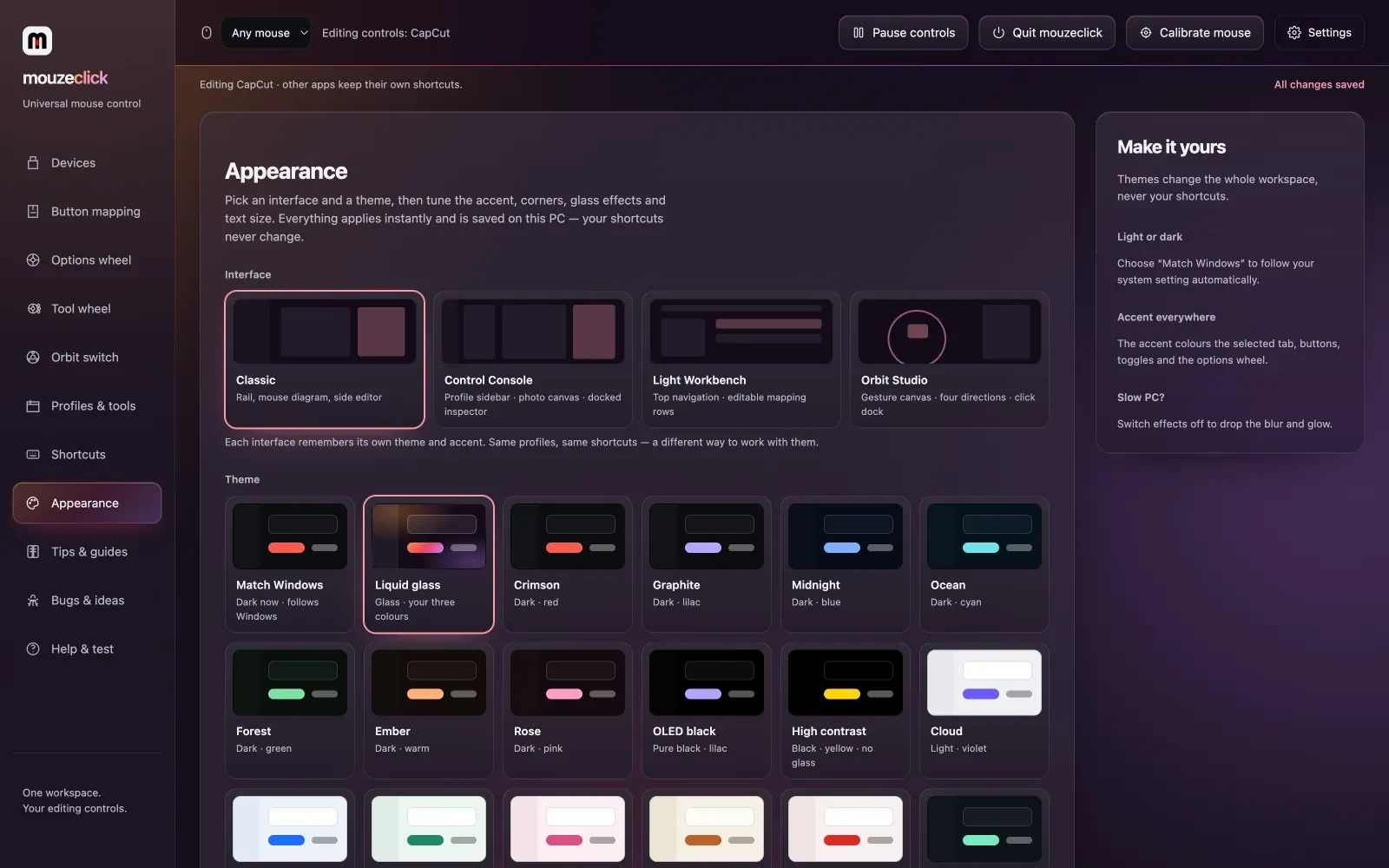
Yes. Liquid glass in nine colour sets or your own three, five backgrounds, four interfaces (Classic, Control Console, Light Workbench, Orbit Studio), nineteen themes including light, OLED black and high contrast, any accent colour, seven fonts, three corner styles and three text sizes. Each interface remembers its own look.
Does it work in games?
On Windows, most games and apps running as administrator ignore tools that are not elevated. Run mouzeclick as administrator, one click in its tray menu, and it works in them too.
Does it work offline?
No. mouzeclick needs an internet connection while it runs, because your licence and your profiles live in your account. If the connection drops, the shortcuts pause and your mouse behaves normally until it is back.
Why pay by the month?
Your shortcuts and profiles are stored in the cloud and follow you to any Windows computer you sign in on, and the app checks in with the server while you work. The price: was $40, now $25 a month, paid two ways at the same price: 30 days at a time with one payment, with no auto-debit and nothing to cancel (3 days before the end we email you a link to pay for another 30 days on the same key), or a monthly subscription that renews by itself until you cancel by emailing [email protected]. A code takes 10% off the first 30-day or 1-year payment, not the subscription. If you stop, the app pauses and your mouse keeps working as a normal mouse. Rather pay once for longer? 1 year is ₹4,999 in India, $249 elsewhere (365 days, 2 months free), and lifetime is ₹9,999 in India, $499 elsewhere: the key never expires and gets every update for as long as mouzeclick is made, and only the first 100 lifetime keys are sold. Each is one key.
Can I get a refund?
No refunds after payment: try it free for 3 days first. If mouzeclick doesn't work on your computer and we can't fix it within 7 days of your payment, we refund you in full. Email [email protected] within 7 days of the payment and tell us what happens; we try to fix it first. A monthly subscription can be cancelled any time by email and stops at the end of the paid month. Paid before 25 October 2026? Your 7-day refund still stands. The full policy is on the Refunds and cancellation page.
Is there a Mac version?
Yes. mouzeclick runs on macOS 12 or newer, on Apple Silicon and Intel Macs, with the same licence key and price as on Windows. Auto-captions, cloud sync and in-app updates are Windows only for now. Download it from your account page. Apple has not notarized it yet, so the first time you open it macOS asks you to allow it: the Mac install guide at mouzeclick.com/mac/ shows the four steps.